
01
Technical health
Broken files, unsupported formats, dimensions, loading issues and image-delivery problems.

E-commerce
10 platforms
CMS
7 platforms
Stock Photography
8 platforms
Search & SEO
1 platforms

Paste any public page URL. We crawl the page, inspect every image for technical, accessibility and performance issues, then use AI to judge whether each image actually matches the page.
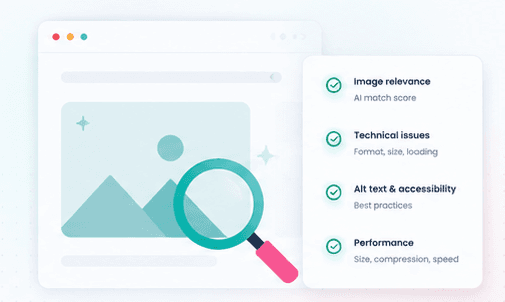
One audit gives you a practical image-health overview instead of making you inspect files one by one.
Broken files, unsupported formats, dimensions, loading issues and image-delivery problems.
Missing, empty, duplicated or weak alt text with clear accessibility recommendations.
Oversized assets, inefficient formats and images that could be slowing down the page.
Whether the image visually supports the surrounding content, product, article or landing page.
Surface the biggest problems first, then improve SEO, accessibility, page speed and visual relevance from one report.
Paste any public page address and this image auditor crawls every image it contains — img tags, srcset, lazy-loaded images and structured data — then checks alt text, file size, dimensions, format, embedded metadata and relevance to the page's content. You get a score out of 100 and a concrete list of fixes, with nothing to install.
One URL is enough — the page is explored and every image detected.
Six weighted categories give a clear grade, from A to F.
Every image is judged against the page's actual topic.
The page is only viewed — nothing is ever changed on your site.
img, srcset, lazy-loading and JSON-LD.
Nothing to install — paste a URL and run the audit.
A page rarely ships with the perfect image on the first try: an alt attribute forgotten here, a photo that's too heavy there, an outdated format somewhere else. Instead of opening every file one by one, this tool crawls the page the way a search engine would, extracts every image it can find, and runs deterministic technical checks plus an AI semantic pass, producing a single actionable report.
img tags, the widest candidate in a srcset, lazy-loaded images and anything referenced in JSON-LD.
An image that doesn't respond correctly is flagged immediately.
Two byte-identical images on the page are flagged as redundant.
AI evaluates whether the image genuinely illustrates the page's topic.
CSS background images are not included — only images referenced in the HTML or in structured data are analysed.
The score splits across six weighted categories. Each detected issue removes points from its category, scaled by the share of images affected — a 50-image page where 2 are missing alt text loses fewer points than a 5-image page where 2 are affected.
| Category | Max points | What it measures |
|---|---|---|
| Technical SEO | 30 | Broken images, generic filenames, duplicates, missing CDN |
| Accessibility | 20 | Missing or empty alt text |
| Performance | 20 | Oversized files, missing dimensions (CLS), outdated formats |
| Image semantics | 15 | AI relevance and alt-text quality |
| Metadata | 10 | Presence of EXIF/IPTC/XMP (title, caption, copyright) |
| Image quality | 5 | Remaining compression headroom relative to pixel count |
Paste any public page address: an article, a product page, a homepage.
The page is crawled and every image is reviewed.
See the score out of 100, the category breakdown, and the issue list.
Process the flagged images with the other MetaImage tools, then re-run the audit.
A non-intrusive audit
The page is visited anonymously, read-only. Nothing on your site is ever changed — only publicly reachable images are analysed.
Every image gets its own list of issues, each with a severity level — critical or warning — to help you prioritise fixes.
| Issue | Severity | Why it matters |
|---|---|---|
| Broken image | Critical | Wastes crawl budget and hurts user experience |
| Missing alt | Critical | Invisible to screen readers and to Google Images |
| Oversized file | Critical | Anything over 500 KB directly drags down LCP |
| Empty alt | Warning | Correct only if the image is purely decorative |
| Generic filename | Warning | A name with no keyword does nothing for image search |
| Missing dimensions | Warning | The browser can't reserve space, causing layout shift (CLS) |
| Legacy format | Warning | WebP or AVIF is typically 25-50% smaller at the same quality |
| Duplicate image | Warning | Identical to another image on the page — serve it once |
| No CDN | Warning | Expect slower delivery for visitors far from the server |
| Missing metadata | Warning | No EXIF/IPTC/XMP — no title, caption or copyright travels with the image |
| Weak relevance (AI) | Warning | The image is a poor match for the page's actual topic |
Alt text, filename and metadata all influence ranking in Google Images.
Correct alt text makes the page usable with screen readers.
Oversized images slow down LCP, a direct ranking factor.
Spot images that no longer match the topic after a content rewrite.
Validate a page before it goes live, without opening every file by hand.
Confirm published images still carry their embedded title and rights.
It splits across six categories: Technical SEO (30), Accessibility (20), Performance (20), Image semantics (15), Metadata (10) and Image quality (5). Each detected issue removes points, scaled by the share of images affected. AI supplies the relevance and alt-text quality scores, but the final score is always computed by our engine.
img tags, the widest candidate in a srcset, lazy-loaded images referenced by data-src or data-lazy-src, and images declared in JSON-LD structured data. CSS background images are not included.
No. Every image gets the fast deterministic technical checks. Only a capped subset is sent for AI semantic analysis — 5 images on the free plan and 20 on paid plans — which keeps audits fast and inexpensive.
No. The crawler fetches the page anonymously over http or https, so the URL must be publicly reachable. Private and local network addresses are rejected.
Use the other MetaImage tools to fix each category: the Alt Text Generator for accessibility, the Social Image Optimizer for size and format, then re-run the audit to confirm the new score.
Yes, as long as the page is public. Product pages, articles, homepages and landing pages are all supported the same way.